PowerTriage Linux
Lightweight and standalone forensic triage for Linux systems. Designed for DFIR analysis in servers, cloud environments, and critical production systems.

Lightweight and standalone forensic triage for Linux systems. Designed for DFIR analysis in servers, cloud environments, and critical production systems.
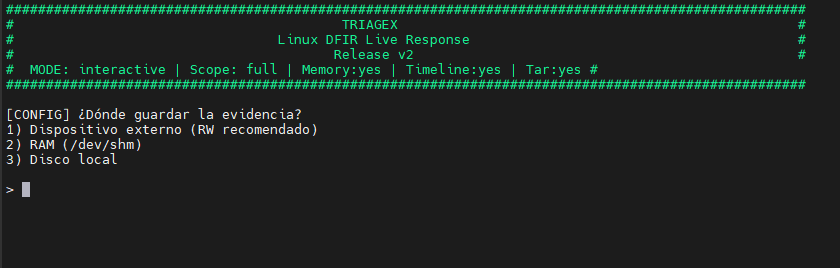
PowerTriage Linux is the version for Linux systems of the PowerTriage family. Developed in Bash, it allows performing rapid forensic triage without external dependencies, even in minimal or restricted environments.
It is oriented towards servers, cloud infrastructures, critical systems, and scenarios where installing additional tools is not viable.
PowerTriage Linux prioritizes secure and non-intrusive execution, reducing the impact on production systems during a forensic investigation.
Designed for real Linux environments and complex DFIR scenarios.
OS Release, Kernel info, Uptime, Timezone, and resources (CPU/Mem).
Shell History (Bash/Zsh/Vim), Active Sessions, Sudoers, and Accounts.
Active Connections (SS/Netstat), Open Ports, Interfaces, DNS, and Hosts.
Process Tree, Cron Jobs, Systemd Services/Timers, and Open Files (lsof).
Installed Packages (dpkg/rpm/apk) and Docker/Podman/K8s (Crictl) status.
File Timeline, Logs (/var/log), and SSH Keys (authorized_keys/known_hosts).
Direct execution on running systems.
Review from mounted volumes or systems.
Execution compatible with minimal environments and BusyBox.
Selective activation of modules according to the investigation.
Structured results ready for subsequent forensic analysis.
The script generates a set of text files, JSON, and compressed archives:
| File / Folder | Description |
|---|---|
user_history_files/ | User Activity: Histories (.bash_history, .zsh_history) per user. |
00_avml_...txt | Audit: Documentation on AVML download (if applicable). |
00_metadata_pre_triage.txt | Chain of Custody: Pre-triage timestamps and metadata. |
containers.txt | Containers: Status and images of Docker, Podman, and Crictl (K8s). |
directory_and_files.txt | Filesystem: Complete file listing (excluding proc/sys/dev). |
ForensicCatalog.json | Integration: JSON catalog consumable by the PowerForensics ecosystem. |
hashes.txt | Chain of Custody: SHA256 hashes of all evidence. |
home.tar.gz | Archive: Compressed /home directory (Full mode only). |
installed_packages.txt | Software: Package inventory (dpkg, rpm, apk). |
logs.tar.gz | Archive: Compressed /var/log directory. |
memory.mem | Memory: RAM dump via AVML (if enabled). |
network_info.txt | Network: Interfaces, Ports, Routes, ARP, DNS (resolv.conf, hosts). |
open_files_lsof.txt | Processes: List of open files (requires lsof). |
persistence.txt | Persistence: Cron, Init, Systemd, SSH keys, Kernel modules. |
powertriage.log | Log: Detailed execution log. |
processes.txt | Processes: Process tree (pstree) and full list (ps). |
root.tar.gz | Archive: Compressed /root directory. |
system_info.txt | System: OS details, Uptime, Users, Groups. |
timeline_file.csv | Timeline: Filesystem timeline (MACB). |
users_local.txt | Users: Shadow status, Sudoers, Wheel group. |
PowerTriage Linux acts as an acquisition and triage component for Linux systems within the PowerForensics ecosystem, providing base data for timeline analysis and correlation in broader investigations.
Consult requirements, parameters, and usage examples of PowerTriage Linux.